

Cursor time tracker Cursor time tracking, by project. Your chats never leave your device.
TimeUno watches Cursor's own workspace metadata to tell when its agent is working or waiting for you, and files that time under the right project, and your prompts and code never leave your device.
Start your 14-day free trial 14-day free trial
Where Cursor keeps its sessions, and what TimeUno sends
The Cursor desktop app stores its workspace and composer state in its own local config folder, separate from your prompts and code. TimeUno sends that metadata; Cursor’s chat history never leaves your device.
| Sends | Never leaves your device |
|---|---|
| The workspace folder you have open | Your prompts |
| Composer status: last updated, active or not | Cursor’s replies |
| The last message was from you or the agent | Your code |
| Model, token count or cost |
The Cursor CLI, run from a terminal, keeps its own transcript files per session. TimeUno sends who spoke and when from those files, the same way; the message content never leaves the machine.
Working or waiting on you
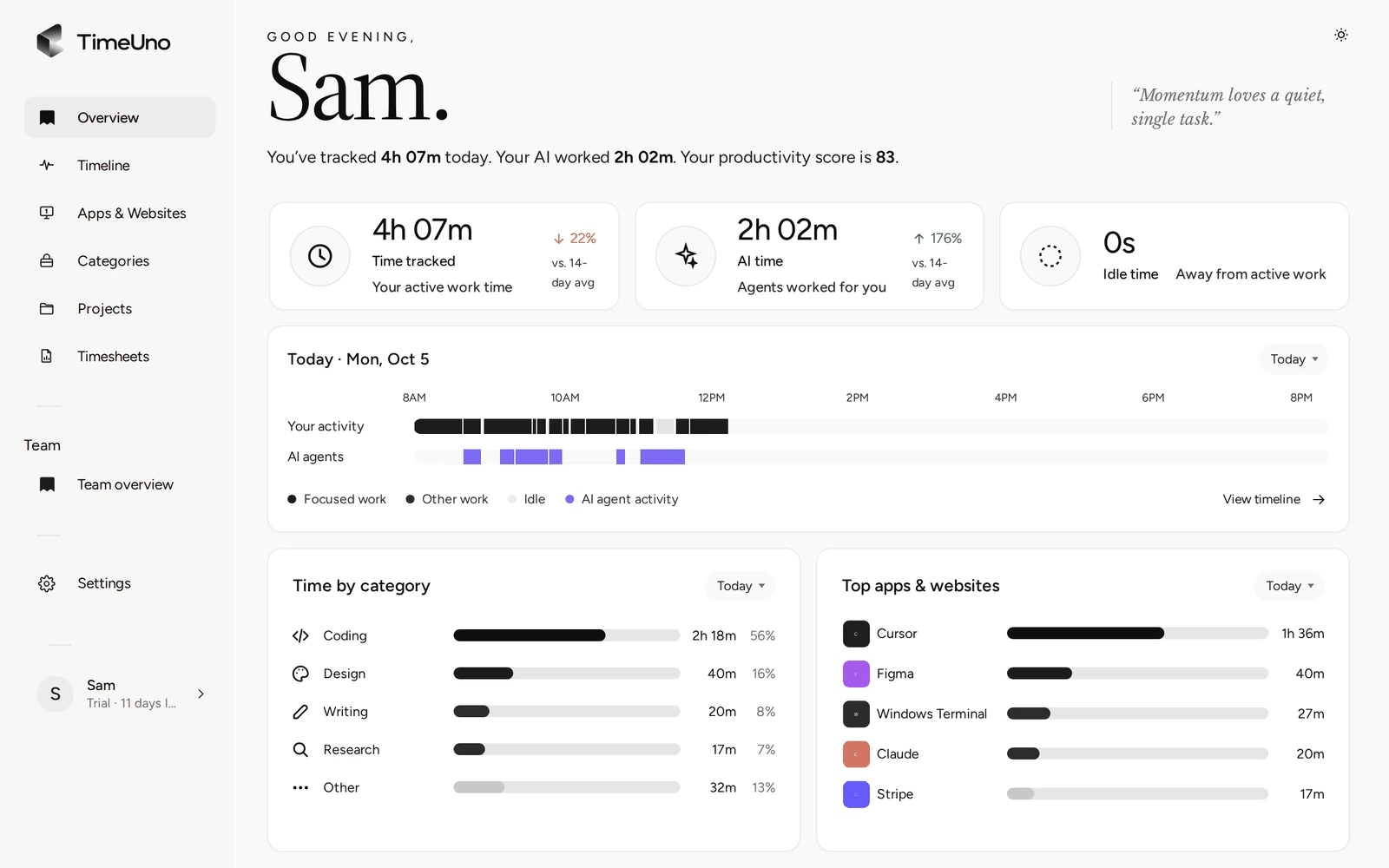
TimeUno checks Cursor’s composer status and when it last changed. A recent update with the agent mid-turn counts as working; once the agent’s last turn is done and nothing changes for a few minutes, the session is marked as waiting for you. You see that next to your own activity on the same timeline, so a background Cursor run during a meeting shows up as exactly that.
From agent time to billable hours per project
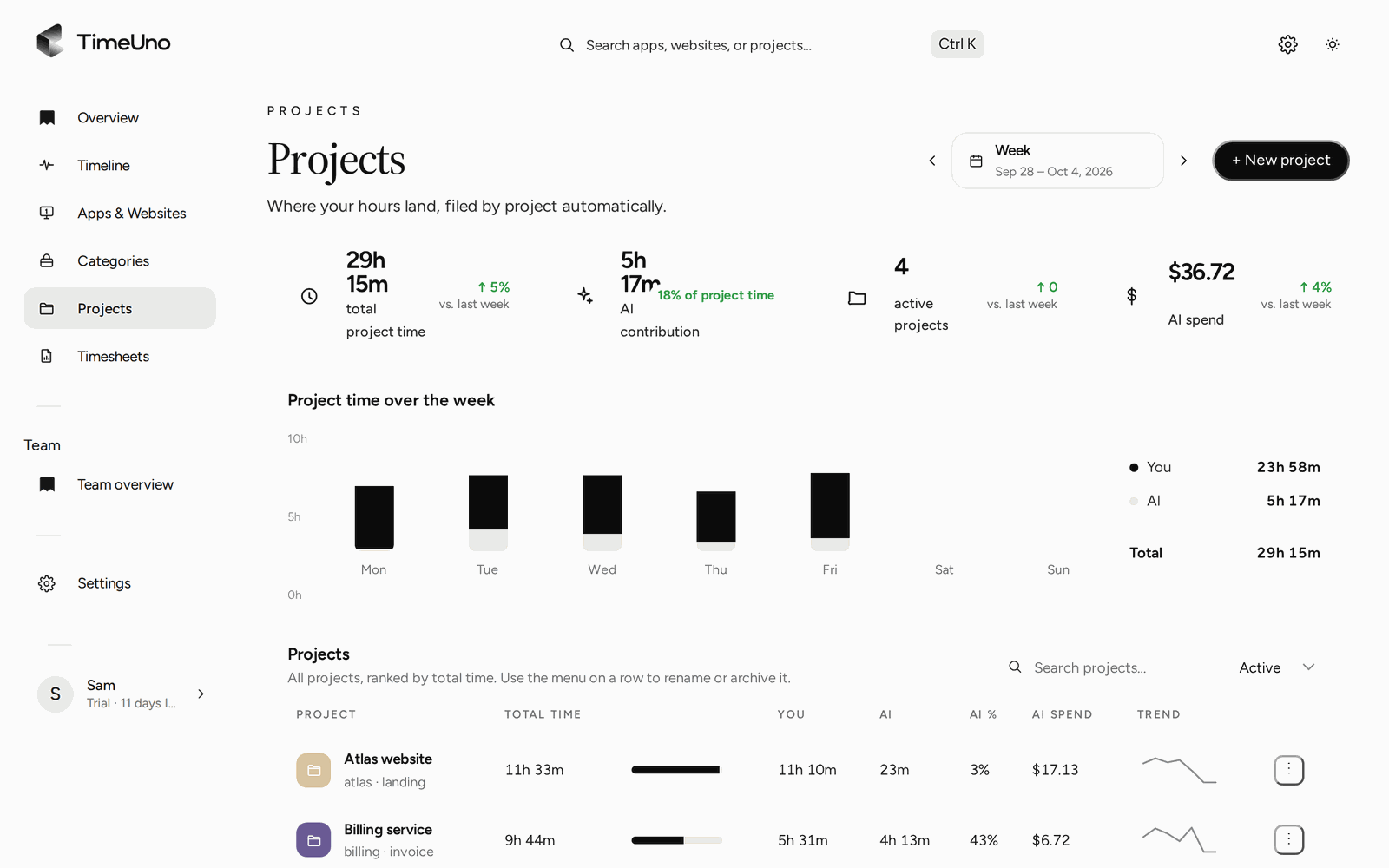
TimeUno files Cursor time under the project open in that workspace, the same way it picks a project for your own work: from package.json, Cargo.toml, go.mod, pyproject.toml or the folder name. The Projects page splits each project into your time and Cursor’s agent time for the week.
For a client timesheet, pick a period and a project, add an optional client name, and TimeUno shows your total hours next to Cursor’s time and an AI-contribution percentage before you export. The CSV you download blends both into one number per day, since that is what you bill a client for.
Parallel sessions stay apart
Each Cursor workspace is its own row with its own project. Two Cursor windows open on two different client repos at the same time stay apart on the timeline and on your timesheets, instead of folding into one combined total.
Cursor CLI on a remote server
GUI Cursor only tracks on your own computer. The Cursor CLI, run over SSH on a Linux server, is tracked by the headless agent: install it on the server with one command, and its sessions land on the same timeline as your laptop.
See it next to every other AI tool
This page covers Cursor on its own. For the full picture across Cursor, Claude Code, Codex CLI and the rest, and how TimeUno compares with WakaTime, see the AI time tracker overview.
Updated 19 October 2026
Questions people ask
Do my Cursor chats leave my device?
No. TimeUno sends Cursor's own workspace metadata: the workspace folder and composer status, such as when it last updated and whether the agent is active. Your prompts, Cursor's replies, your code and Cursor's own activity log never leave your device.
Does it track the Cursor CLI too?
Yes, with the headless agent on a server you SSH into. It reads the CLI's own transcript folder to see who spoke, you or the agent, and when, and what was said never leaves your server.
Why are there no token counts or costs for Cursor?
Cursor does not expose that in the metadata TimeUno reads. You get working and waiting time, by project, enough to put real hours on a timesheet, but not a token or dollar figure.
How are several Cursor windows counted?
Each Cursor workspace is its own row with its own project, so two Cursor windows open on two different repos stay apart on the timeline and on your timesheets.