

Time tracking for developers Hours per repo, including the time your AI agents put in.
TimeUno reads the project from your editor and files your computer time under it, with no timer to start. Claude Code, Cursor and other AI coding tools show up on their own timeline next to yours, even running in a background terminal, and the headless agent covers the same tools on a server you SSH into.
Start your 14-day trial 14-day trial, then $14.99 a month
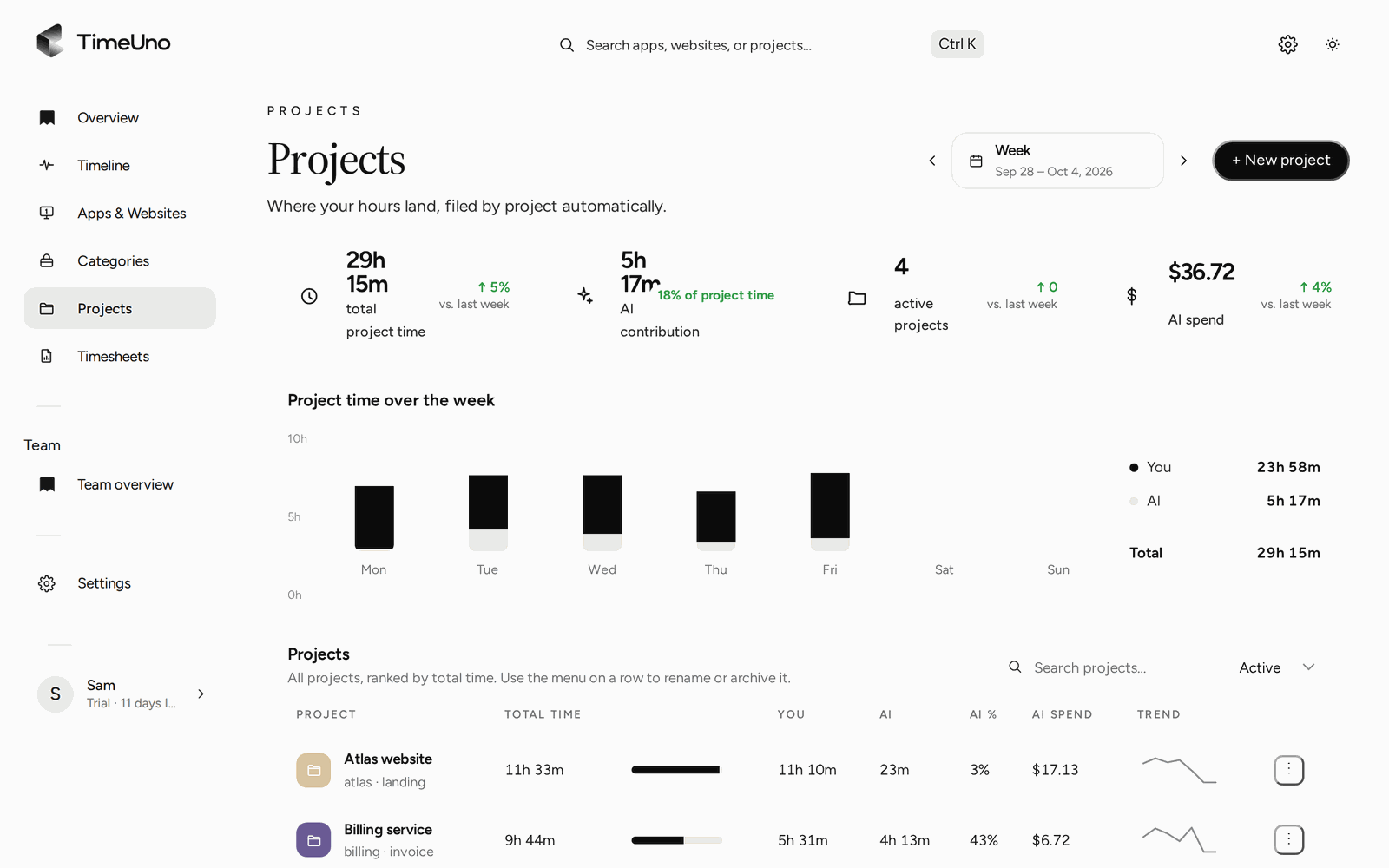
A time tracker built around how developers actually work
A developer’s day moves between an editor, a terminal, pull requests in the browser, and now one or more AI agents running alongside all of it. A time tracker that only watches the IDE misses most of that. TimeUno runs on the whole computer, records the app or site in front of you minus idle time, and reads which project you’re in from your editor or AI coding tool, so the hours land under the right repo without a timer.
Every repo becomes a project, without setup
TimeUno reads the project name from package.json, Cargo.toml, go.mod or pyproject.toml, or else the folder name, and asks before it tracks a new one.
- Open a repo in your editor or AI coding tool. The desktop widget asks Track X as a project?
- Choose Add, and time in that repo files there from then on.
- For work that isn’t in a repo, add a project by hand on the Projects page, with keywords that match your window titles or URLs.
- Move anything that landed in the wrong place from the Timeline; TimeUno remembers the correction.
Your AI coding agents, tracked next to you
The desktop app finds these tools without a plugin and records whether each is working or waiting for you:
- Claude Code
- Cursor
- Codex CLI
- OpenCode
- GitHub Copilot
- Windsurf
- Aider
- Ollama
- Gemini CLI
AI time sits beside your own tracked hours on the same project, not added to them, so a repo with an agent running for an hour while you’re in a meeting still shows the hours you actually worked, split from the agent’s.
Agents on a remote server
If you run Claude Code or Cursor CLI over SSH, the desktop app on your laptop can’t see those sessions. The headless agent can:
curl -fsSL https://app.timeuno.io/install-agent.sh | bashIt installs as a background service, tracks Claude Code, Cursor CLI, Codex CLI, Gemini CLI, OpenCode, Aider and Ollama, and tracks each running session separately, with its project and whether it’s working or waiting for you. Two agents on the same server show up as two sessions, not one.
Ask Claude or Cursor about your own tracked time
TimeUno has an MCP server at https://app.timeuno.io/mcp. Connect it from Claude, ChatGPT, Claude Code or Cursor, sign in, and ask questions such as “What did I work on this week?” or “Which repo did the AI agents spend the most time on?”. It can read your summary, timeline, current activity and project time, and, if you allow it, pause tracking or add a note. It never gets screenshots or on-screen text.
What never leaves your device
| Sends | Never leaves your device |
|---|---|
| When an AI tool session starts and ends | Your prompts |
| Whether it’s working or waiting for you | The AI’s answers |
| The model, token count and cost | Your code |
| The project folder and conversation title |
Not every tool shares all of that: Aider, Windsurf and Ollama only report whether they’re active, so they have no token count or cost. TimeUno runs on servers at Hetzner in Germany, and nothing is sold or used for advertising.
Updated 18 October 2026
Questions people ask
Does TimeUno see my code?
No. From your editor and AI coding tools it reads the project name only, from package.json, Cargo.toml, go.mod, pyproject.toml or the folder name, never the files or your code. Screenshots and on-screen text are separate, on by default, and can be turned off per computer.
Can I track time per repository?
Yes. Each editor or AI coding tool project becomes a TimeUno project on its own, and your computer time files under it as you work. Add a project by hand with keywords for repos it can't detect on its own.
Does it track Claude Code, Cursor and other AI coding tools?
Yes. The desktop app finds Claude Code, Cursor, Codex CLI, OpenCode, GitHub Copilot, Windsurf, Aider, Ollama and Gemini CLI on its own, and records whether each is working or waiting for you, next to your own time.
Can I track AI agents running on a server I SSH into?
Yes. Install the headless agent with one command on the Linux server. It tracks the same command-line tools as the desktop app, each running session separately, on the same timeline as your laptop.
Can Claude or Cursor read my tracked time?
Yes, over MCP. Connect the TimeUno MCP server at https://app.timeuno.io/mcp, or run claude mcp add --transport http timeuno https://app.timeuno.io/mcp for Claude Code, and ask it about your summary, timeline or project time. It never gets screenshots or on-screen text.
How much does it cost for a solo developer?
The Individual plan is $14.99 a month, or $10.49 a month billed yearly, after a 14-day trial. There is no free plan.